QuietTranscribe

Speech in. Decisions out.

The power of AI transcription, all in the privacy of your personal computer.

QuietTranscribe records or imports audio on your computer, transcribes it with a local model, and turns the result into minutes or an action plan.

On deviceAudio and transcripts
2 GBImport limit
24 hoursMaximum duration
WhisperLocal model choices
The product

A workspace built around the recording, not the cloud.

Every screen below is QuietTranscribe. Record, import, review, then choose the model that fits the machine in front of you.

01 / WORKSPACE

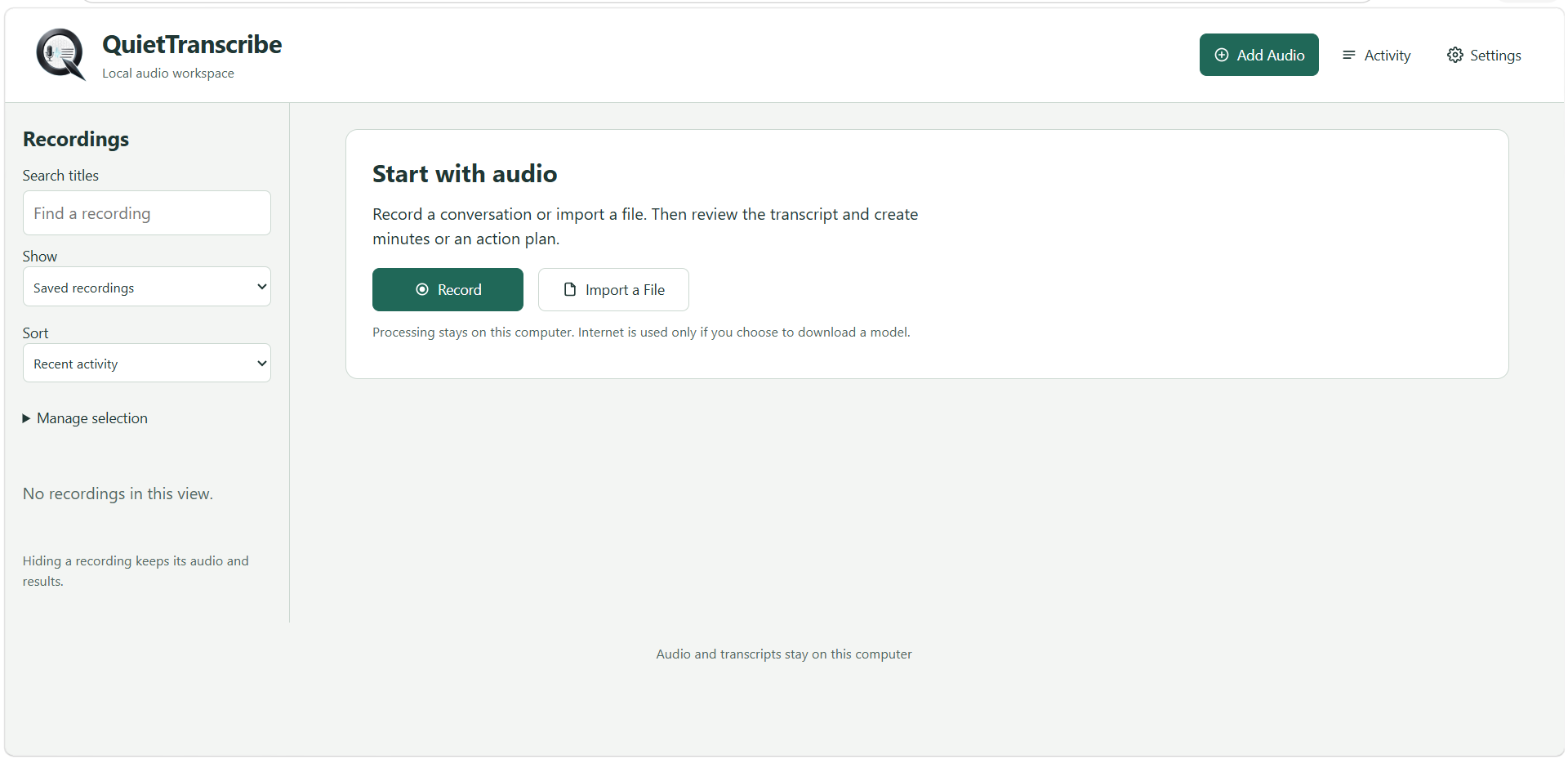
Start with audio.

The library is the home of the application. Search titles, show saved recordings, and sort by recent activity. Hiding a recording removes it from the view without deleting its audio or results.

  • Record a conversation or import a file
  • Review the transcript, then create minutes or an action plan
  • Processing stays on this computer
The QuietTranscribe recordings library and the Start with audio panel.
02 / CAPTURE

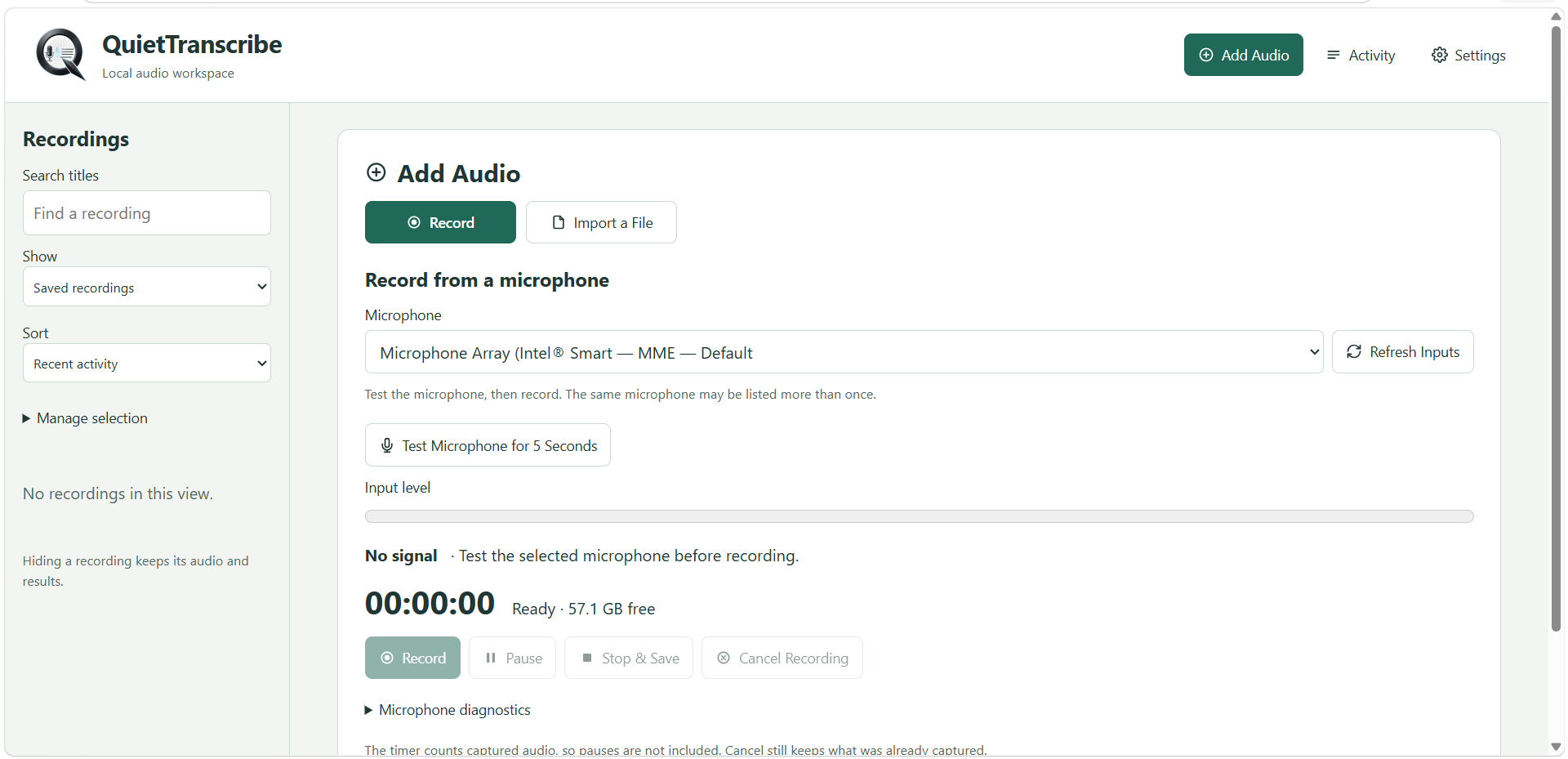
Record from the microphone you choose.

Select an input, refresh the device list, and test the microphone for five seconds before committing to a take. The level meter, timer, pause, stop, and cancel controls stay in one panel.

  • Input level and a five-second microphone test
  • Pause, stop and save, or cancel while keeping captured audio
  • Microphone diagnostics when the signal needs investigation
Add Audio screen showing microphone selection, a five-second test, input level, and recording controls.
03 / IMPORT

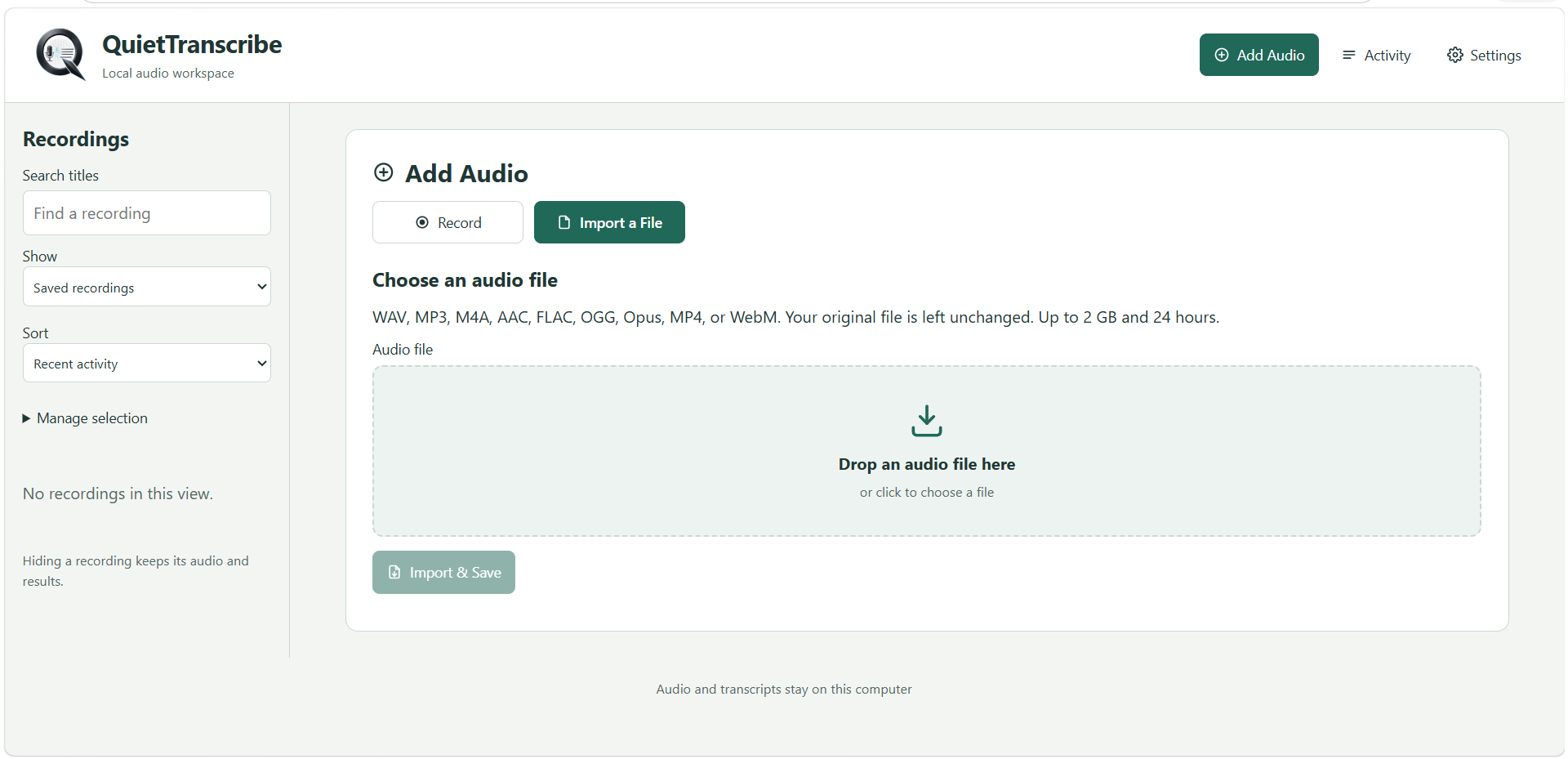
Bring in the file you already have.

Drop audio onto the importer or choose it from disk. QuietTranscribe accepts WAV, MP3, M4A, AAC, FLAC, OGG, Opus, MP4, and WebM, up to 2 GB and 24 hours. The original file is left unchanged.

  • Drag and drop, or click to choose a file
  • Original media stays where you saved it
  • Import and save when the file is ready
Import a File screen with a drop zone for WAV, MP3, M4A, AAC, FLAC, OGG, Opus, MP4, and WebM.
04 / REVIEW

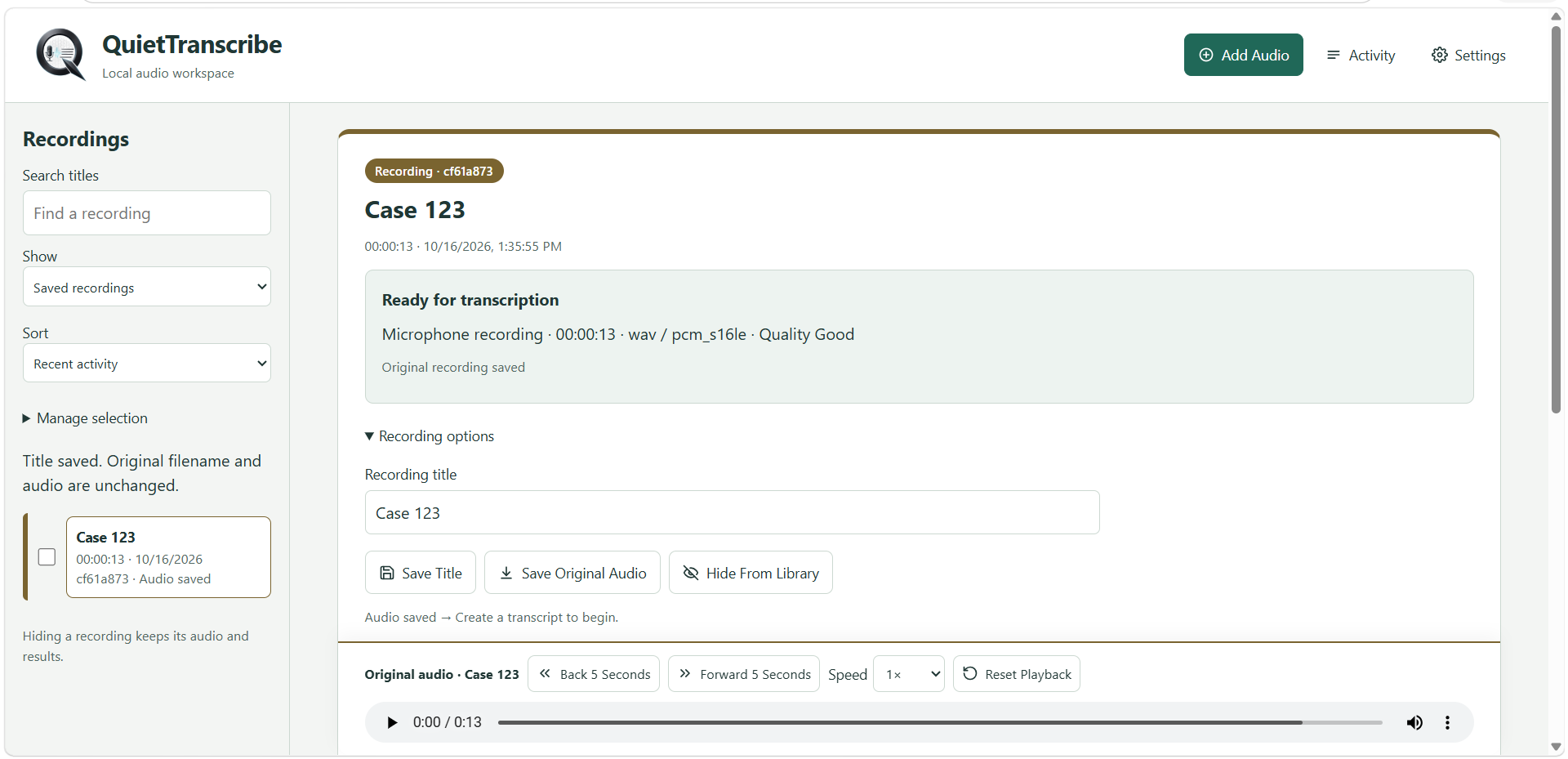
Inspect the recording before transcription.

A saved recording shows its duration, format, and quality, then gives you the original audio player. Rename it, keep the original audio, or hide it from the library. Create a transcript when you are ready.

  • Back and forward five seconds, with playback speed
  • Save the title without changing the original filename
  • Ready-for-transcription status before the model runs
A selected recording ready for transcription, with title controls and an audio player.
05 / MODEL

Match the model to the computer.

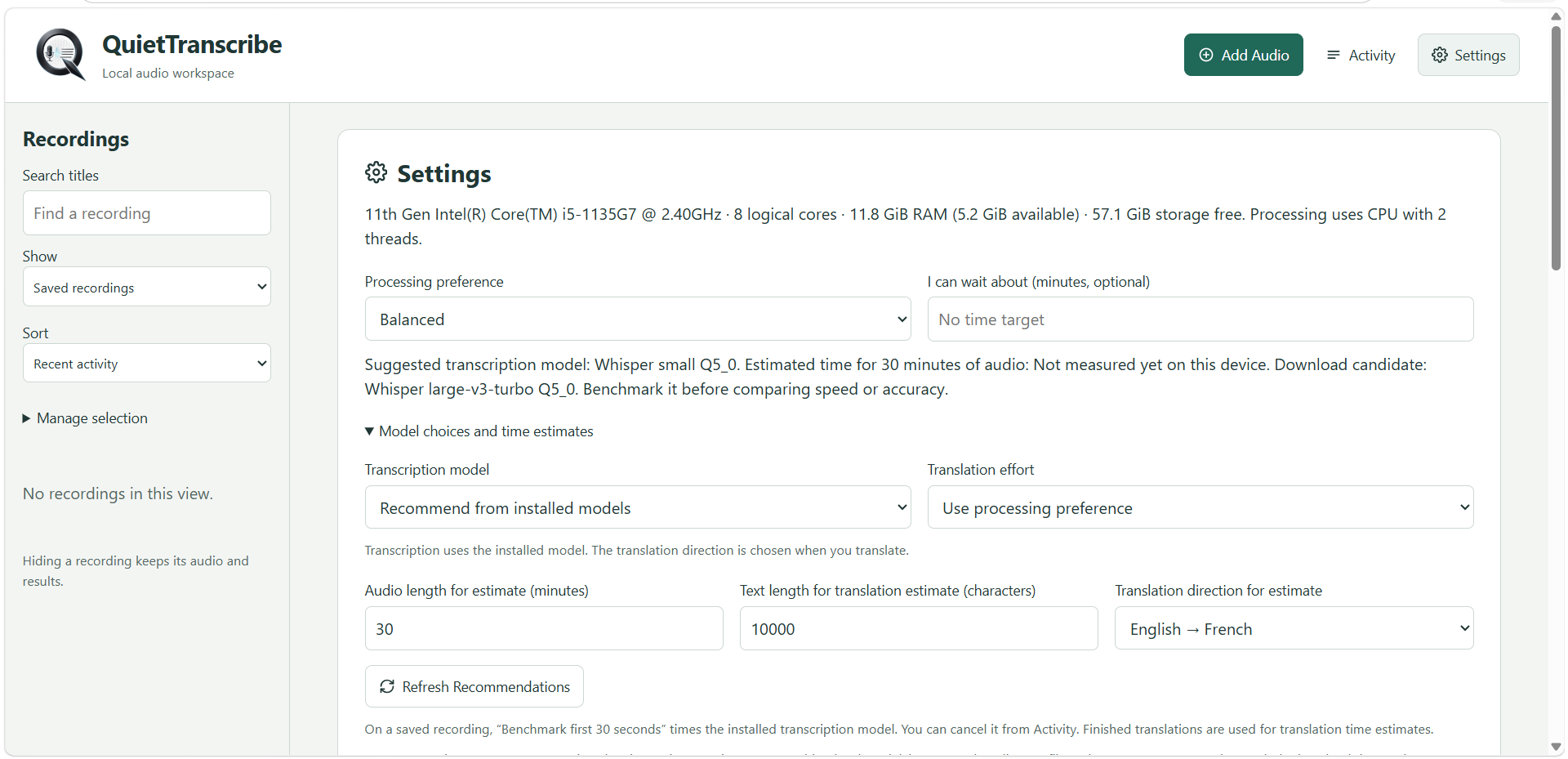
Settings reads the CPU, memory, and free storage, then suggests a transcription model. On this machine the suggestion is Whisper small Q5_0, with Whisper large-v3-turbo Q5_0 available to benchmark before you trade speed for accuracy.

  • Balanced processing, or a time target you can wait for
  • Benchmark the first 30 seconds from Activity
  • Estimate translation effort, including English to French
Settings showing hardware details, a Whisper model recommendation, and English to French translation estimates.
Licensing

One workspace. A license for the way you use it.

QuietTranscribe is licensed per month. An annual license is 10% less.

Single computer

One desktop license for the computer where QuietTranscribe is installed.

$49 / month
Choose
  • 1 computer
  • Full QuietTranscribe license

10-computer pack

Ten desktop licenses for a team that shares one way of working.

$440 / month
Choose
  • 10 computers
  • Full QuietTranscribe license

More than 10 computers? Contact us.

FAQ

What the workspace actually does.

Answers drawn from the recording, import, review, and settings screens in QuietTranscribe.

QuietTranscribe is a local audio workspace. You record a conversation or import a file, review the transcript, and create minutes or an action plan.

Processing stays on the computer. Internet is used only if you choose to download a model. Audio and transcripts stay on that computer, and the installer keeps recordings and transcripts in your user folder.

WAV, MP3, M4A, AAC, FLAC, OGG, Opus, MP4, and WebM. A file can be up to 2 GB and 24 hours. The original file is left unchanged.

Add Audio lists the available microphones and can refresh that list. Test Microphone for 5 Seconds checks the selected input, and the input-level meter shows whether there is a signal before you press Record.

Settings recommends a model from the models installed on the computer. A shown recommendation is Whisper small Q5_0, with Whisper large-v3-turbo Q5_0 as a download candidate. Benchmark the first 30 seconds before comparing speed or accuracy.

Yes. Translation effort can follow the processing preference, and Settings can estimate a direction such as English to French from a text length you enter. The translation direction is chosen when you translate.

Hiding a recording keeps its audio and results. You can also save a new title without changing the original filename or audio.